
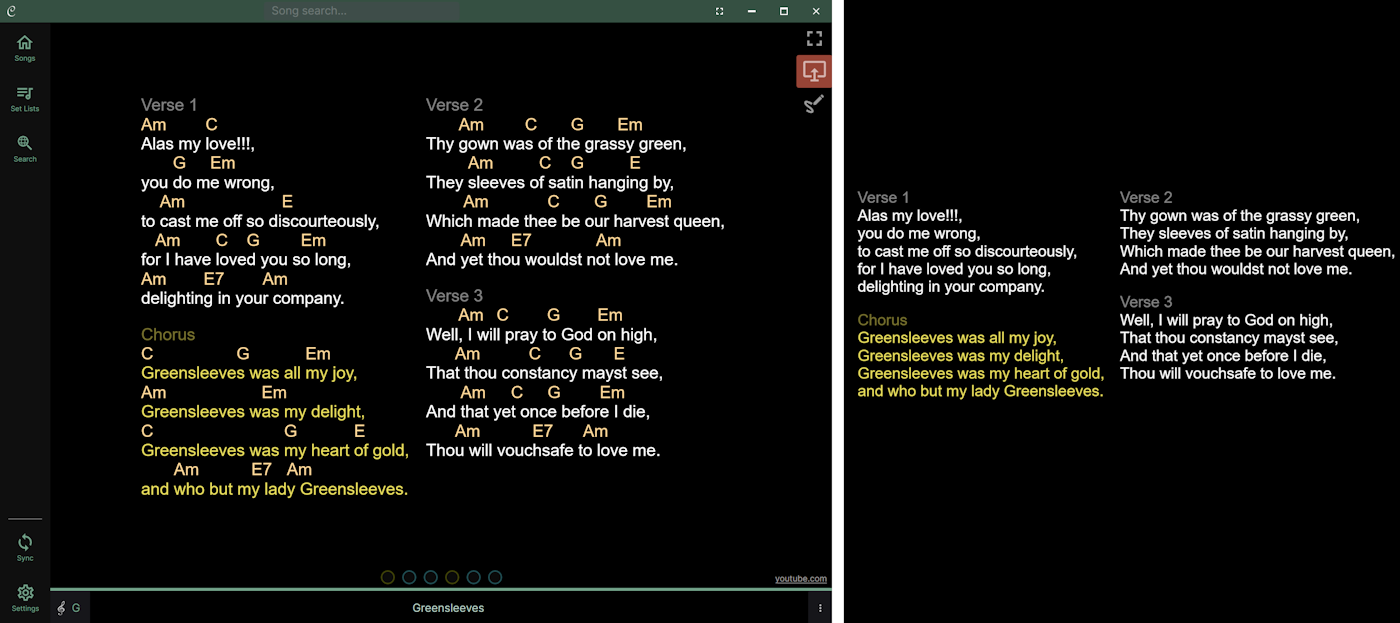
Chordle can show the current song on an external monitor connected to your device. This is useful if you want to display lyrics for other musicians or vocalists on a separate screen while you control playback on the main display.
This feature is currently Windows only.
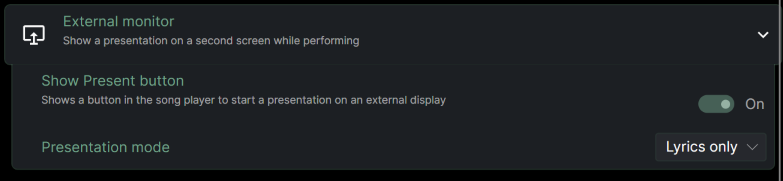
External monitor support is disabled by default. To turn it on, open the settings pane and find the External monitor section:
Once enabled, a “Present” button will appear in the top right of the screen when you are playing a song. Tapping this will launch the external monitor display. Tapping it again will close the external monitor display.
Display modes
Two display modes are available:
- Lyrics only - shows just the song text on the external monitor, without chords. Ideal for vocalists or band members who don’t need to see the chord positions.
- Replicate display - shows all the chords and other elements of the main Chordle display on the external monitor.
When replicating your display, you can choose to not show any song comments/notes on the external monitor, which is useful if you use comments to store performance notes that you don’t want visible to the audience.
The external monitor will automatically update as you move between songs.
Tips
- The Present button is only shown when more than one screen is connected to your device.
- If Chordle is on the secondary screen when you start presenting, it will automatically move to the primary screen so the presentation appears on the external display.
- Press Escape on the presentation window to stop presenting.
- You can set a different font size for the presentation screen in the External monitor settings section. This lets you show larger text on the external display regardless of your main display settings.