
Help

Online Song Searches

In Chordle you can search several song sites directly from within the app, allowing you to import songs you find there into your song library.

First, switch to the online search pane, select one of the supported sites and enter the title of the song you want to find:
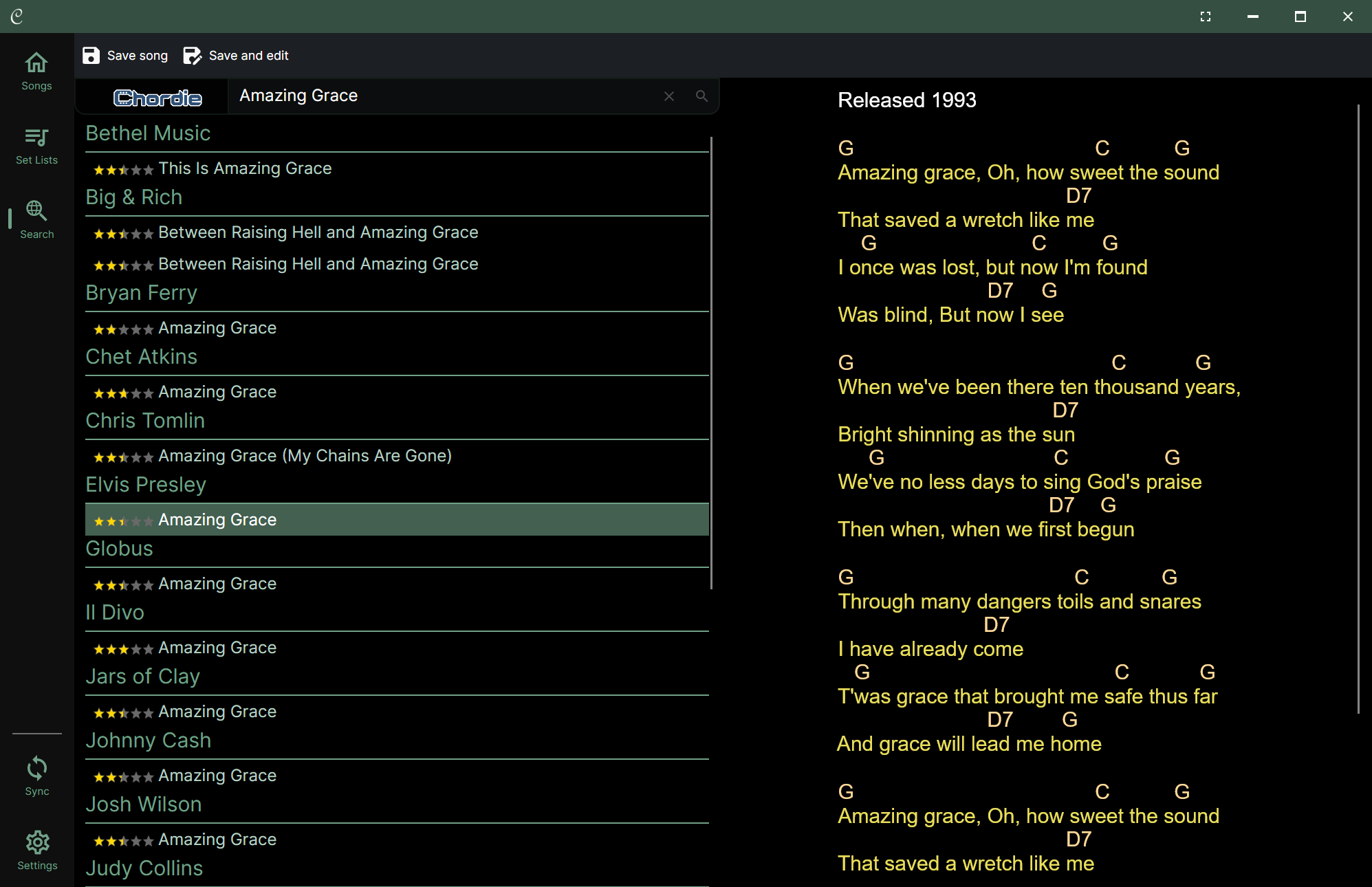
A screenshot of the Chordle ‘Search’ interface. Screen is split into a results list on the left and a song preview on the right. The search bar at the top shows a query for ‘Amazing Grace’ using the ‘Chordie’ search provider. The results list displays various versions of the song grouped by artist (e.g., Elvis Presley, Chris Tomlin) with star ratings. The preview pane on the right shows the lyrics and chords for the selected Elvis Presley version. The top toolbar includes options to save the song."

💡 Using each site will require you to agree to its terms before you can search.

Tap on the search result that you want to use to preview it. If you are happy with the song as a starting point, tap:

  • Save song to add it to your library and play it immediately
  • Save and edit to add it to your library and immediately open the edit song screen so you can tweak the song content before playing it