
The set list library is where you can view and search all of your set lists.
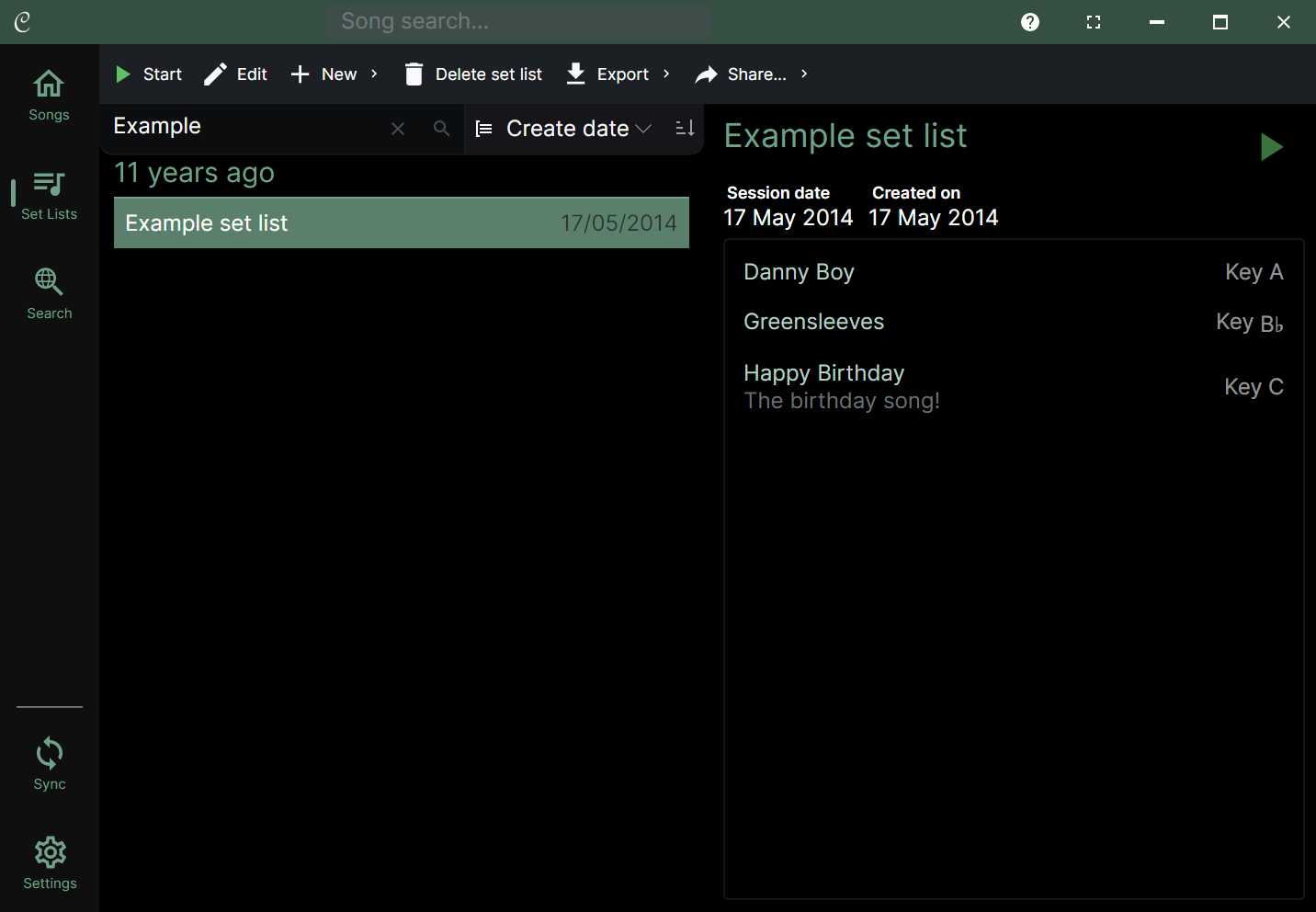
You can search your set lists using the search bar at the top of the library, and sort them by title, date created, or the session date you specified.
When your display is wide enough, the library will show a preview of the currently selected set list on the right.
💡 When editing set lists, you can drag and drop songs from the set list preview of other set lists.
Set list actions
The toolbar contains buttons for:
- Creating and editing set lists
- Copying set lists
- Deleting set lists
- Exporting and sharing set lists
Starting a set list
You can start a set list by tapping the play button in the toolbar or tapping the play button in the preview. You can also double-tap on a song in the set list preview to start the set list with that song.
Editing a set list
When you double tap on a set list or press the Edit button, the set list editor will open. Here you can edit the set list title, session date and song order. You can also add or remove songs from the set list, and change the key and capo for each song in the set list without affecting the original song in your library.