
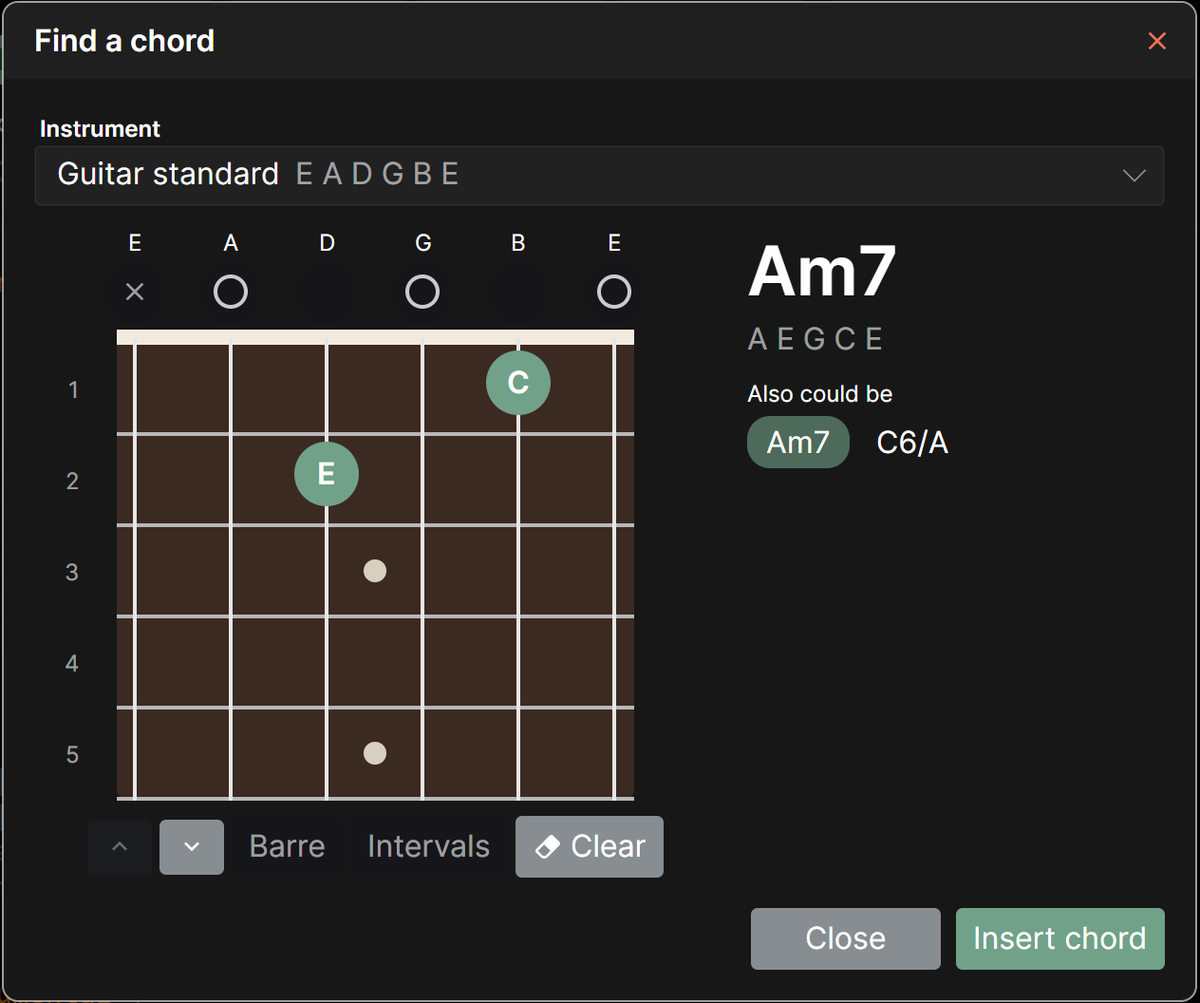
If you know how to play a chord but not what it’s called, the chord finder can name it for you. Place your fingers on the fretboard and Chordle shows the chord they make, ready to add to your song.
Opening the chord finder
While editing a song, either:
- tap Chord finder in the toolbar at the top of the editor, or
- open the Insert chord menu in the toolbar at the bottom of the editor and choose Find chord…
Playing the chord
- Pick the instrument from the Instrument list. It starts on the instrument the song’s chord diagrams use, and works with your own instruments too.
- Tap the fretboard where each finger goes. Tap a finger, or a barre, again to lift it off.
- Tap the circle above a string to switch it between open and muted.
- Use the arrows below the fretboard to move further up or down the neck.
- Turn on Barre, then tap a fret to barre it from that string across to the highest string. You can also drag across the strings on a fret to lay a barre.
- Clear starts again with all the strings open.
As you play, the chord’s name and its notes are shown alongside the fretboard. If the shape could be named more than one way, such as Am7 or C6/A, the other names are listed under Also could be, and you can pick the one that fits your song. Chordle takes the song’s key and the chords it already uses into account when choosing which name to suggest first.
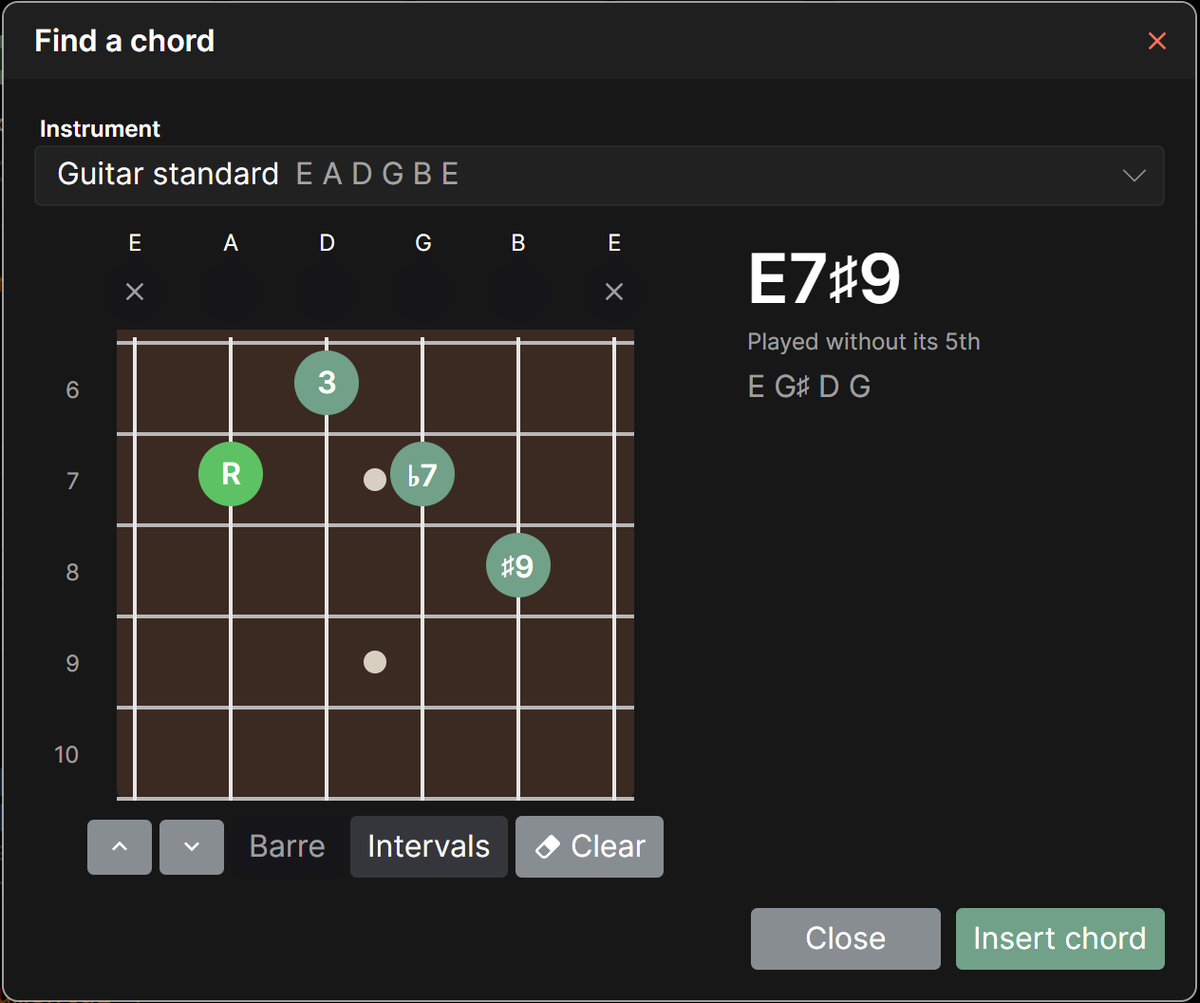
If a chord leaves out a note, such as a seventh chord played without its 5th, the finder tells you, so you know the shape still counts as that chord.
Intervals
Turn on Intervals to label each note with its role in the chord instead of its name, such as R for the root, 3 for the third or ♭7 for a flattened seventh. It’s a handy way to see how a chord is built, or which finger to move to change it into another chord.
Adding the chord to your song
Tap Insert chord to add the chord at the cursor in the song editor. The shape you played becomes the chord diagram shown for that chord in the song, and the instrument you picked becomes the song’s instrument, once you save the song.