
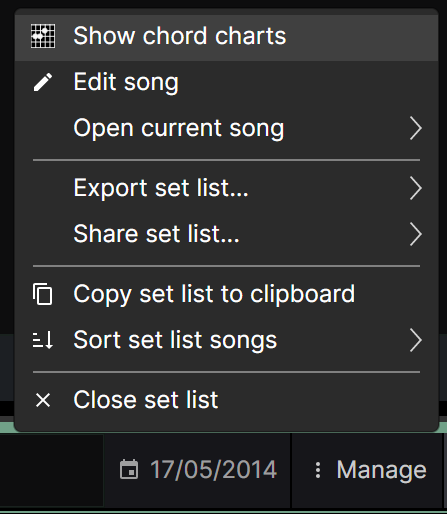
Opening the current song
You may want to quickly export and open a song in its currently transposed state. The Open current song menu allows you to immediately open the current song in Microsoft Word or PDF format.
Docking the set list
The Dock set list menu lets you move the currently playing set list between the bottom of the screen (with the player controls) and the left or right side, so it stays beside your library while you play. See Docking the set list for more.
Sorting the current set list
There are two options for sorting the songs in your current set list:
- Sort by title - This option will sort all the songs in your current set list alphabetically by title.
- Sort by key - This option will sort all the songs in your current set list by key, starting with A♭ and going up.
Copy current set list as text
This option will copy the current set list to the clipboard in plain text, like this:
A test set list - 01 February 2023

Test song - Key: A♭
Test song 2 - Key: D (Capo:2 C)
You can then paste it into another application to share or print just the song titles and keys in the set list.