
Chords Above Text is a format for writing songs with chords. It places chords directly above the lyrics, e.g. Am. While this format is less structured than ChordPro, it can be easier to read and edit for some people.
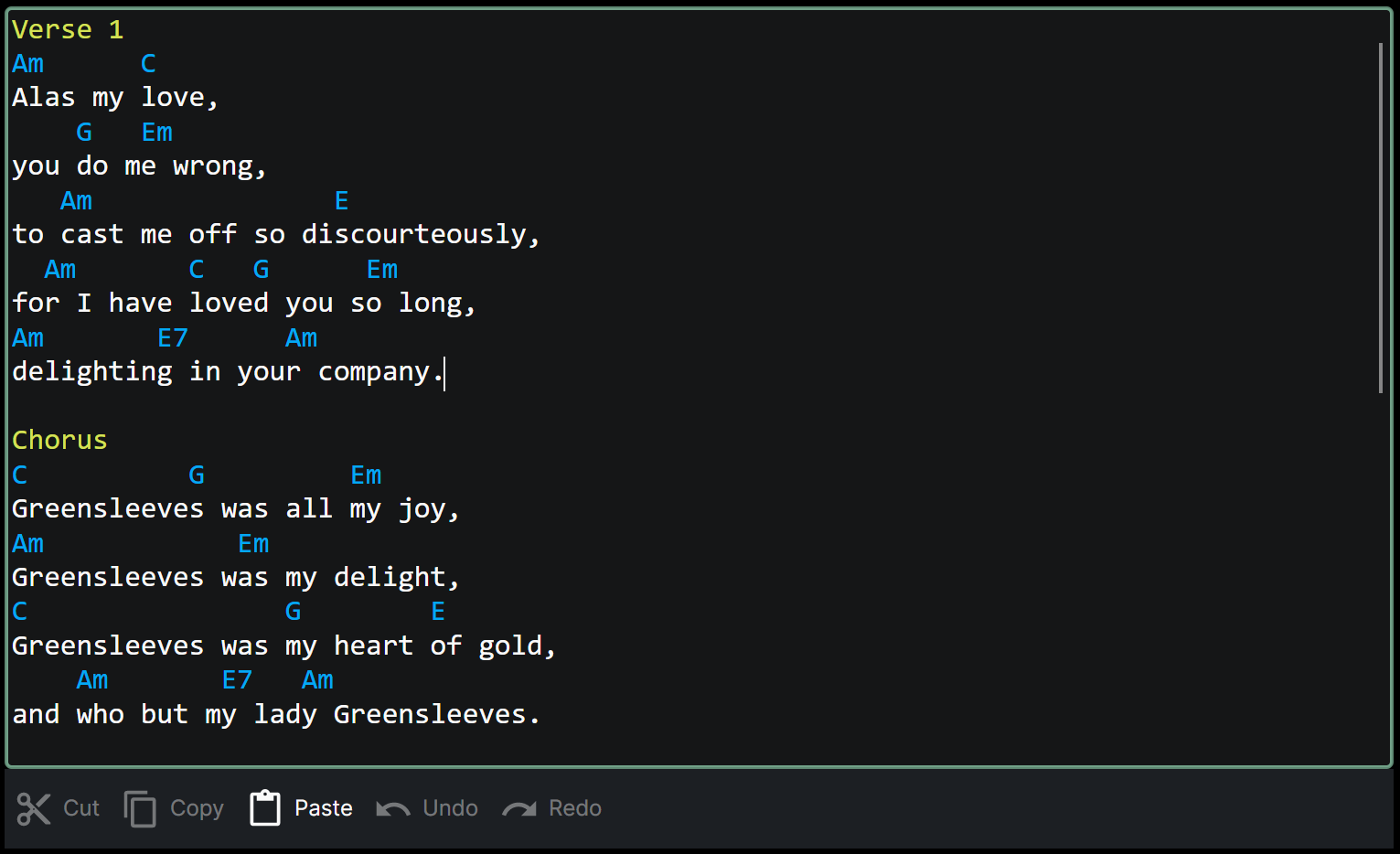
In this mode, Chordle will automatically apply different coloring to sections, but you need to indicate when a new section starts. You can do this by using different headings, e.g.:
- Verse, Verse 1, Verse 2, etc.
- Bridge
- Chorus
- PreChorus, Pre-chorus
- Instrumental, Interlude, Solo
- Ending, Outro, Refrain
- Intro, Introduction
If you do not specify a section heading for a given section, Chordle will assume that it is of the same kind as the preceding one.
It’s easy to move chords around - just tap on the chord you want to move and use the drag handle to move it to the desired position.
Comments
Chords over text only supports simple comments - lines beginning with a # will be treated as a note to be displayed in the song:
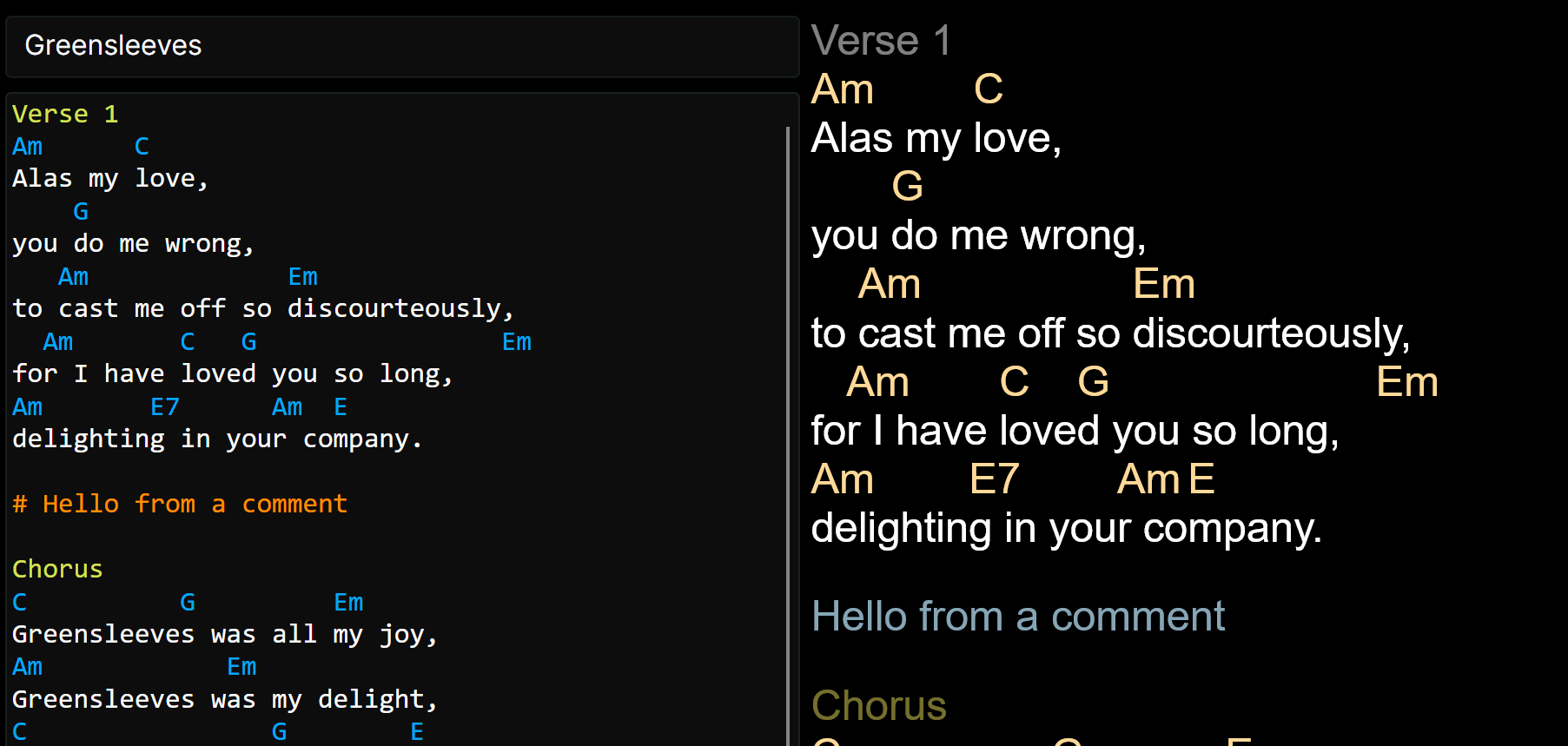
Comment lines support dynamic macros - use %{key}, %{artist}, %{tempo} and more to automatically insert song metadata when the song is displayed. See comment macros for the full list. For example:
# Key: %{key} - Capo: %{capo}
Will show a comment with the song’s current key and capo position.
Tab sections
Chords over text borrows the concept of tab sections from ChordPro - you can indicate a block of text as being tablature by surrounding it with lines containing only {sot} and {eot}. When displayed in a song, these sections are drawn as a tab staff. See Tablature for more.
There’s also a shorter form: start a line with [Tab] and the tablature that follows is treated as a tab section, which ends at the next blank line. You can give it a title with [Tab label="Intro"].
[Tab label="Intro"]
e|---0---3---|
B|---1---0---|
G|---0---0---|
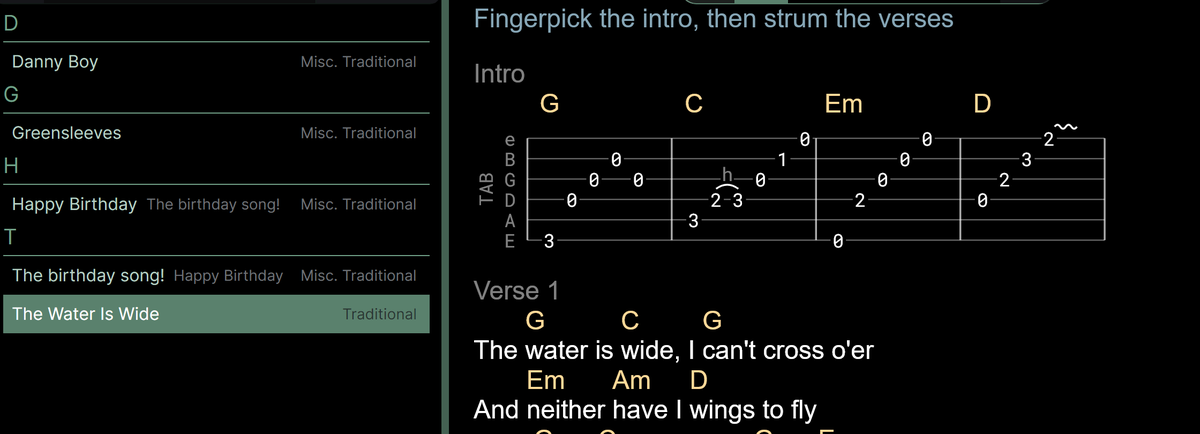
If a tab section contains blank lines between its parts, Chordle keeps the {sot} and {eot} form when it converts the song to Chords above text, so nothing is lost.
Grid sections
Grid notation lays out chords in bars, which is handy for intros, solos and chord progressions with no lyrics. Start a line with [Grid] and the lines that follow are treated as a grid, ending at the next blank line. Use [Grid label="Outro"] to give the grid a title.
[Grid label="Outro"]
| Am . . . | C . . . |
| F . . . | G . . . |
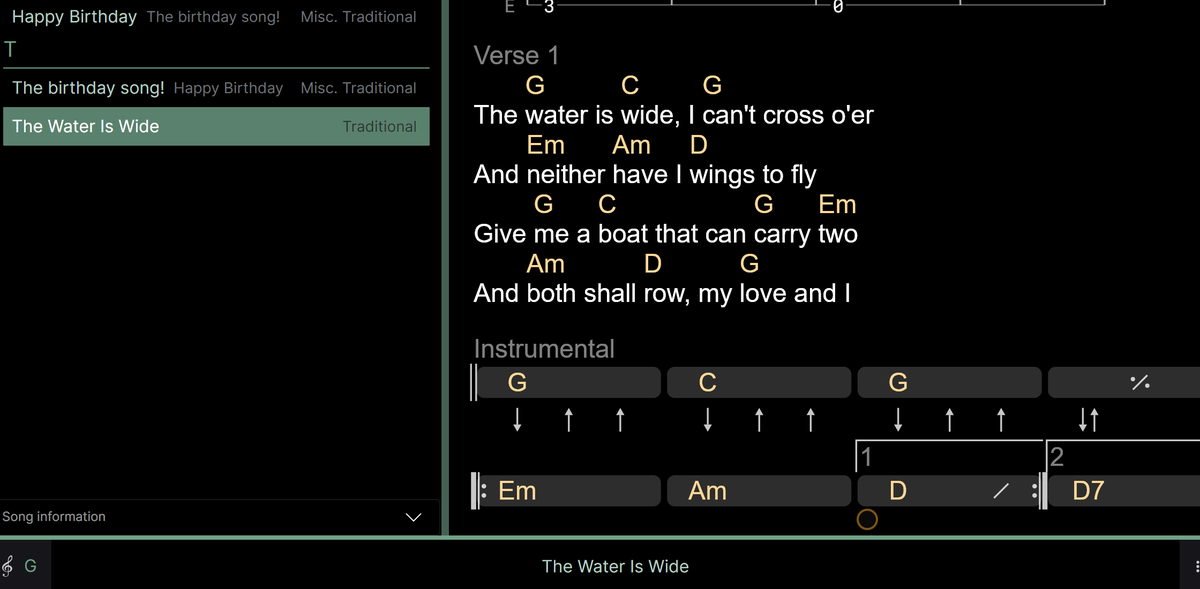
See Chord grids for everything you can put in a grid, including repeats, endings and strum patterns.
Grids that need more control, such as a specific shape, are kept as {sog} and {eog} directives when you convert a song to Chords above text.